

Why Your Google Business Profile Photos Matter (and How to Get Them Right)
A practical guide to Google Business Profile photos for Jupiter businesses: which photos to add, quality and freshness tips, geo-tag myths, and a simple plan.
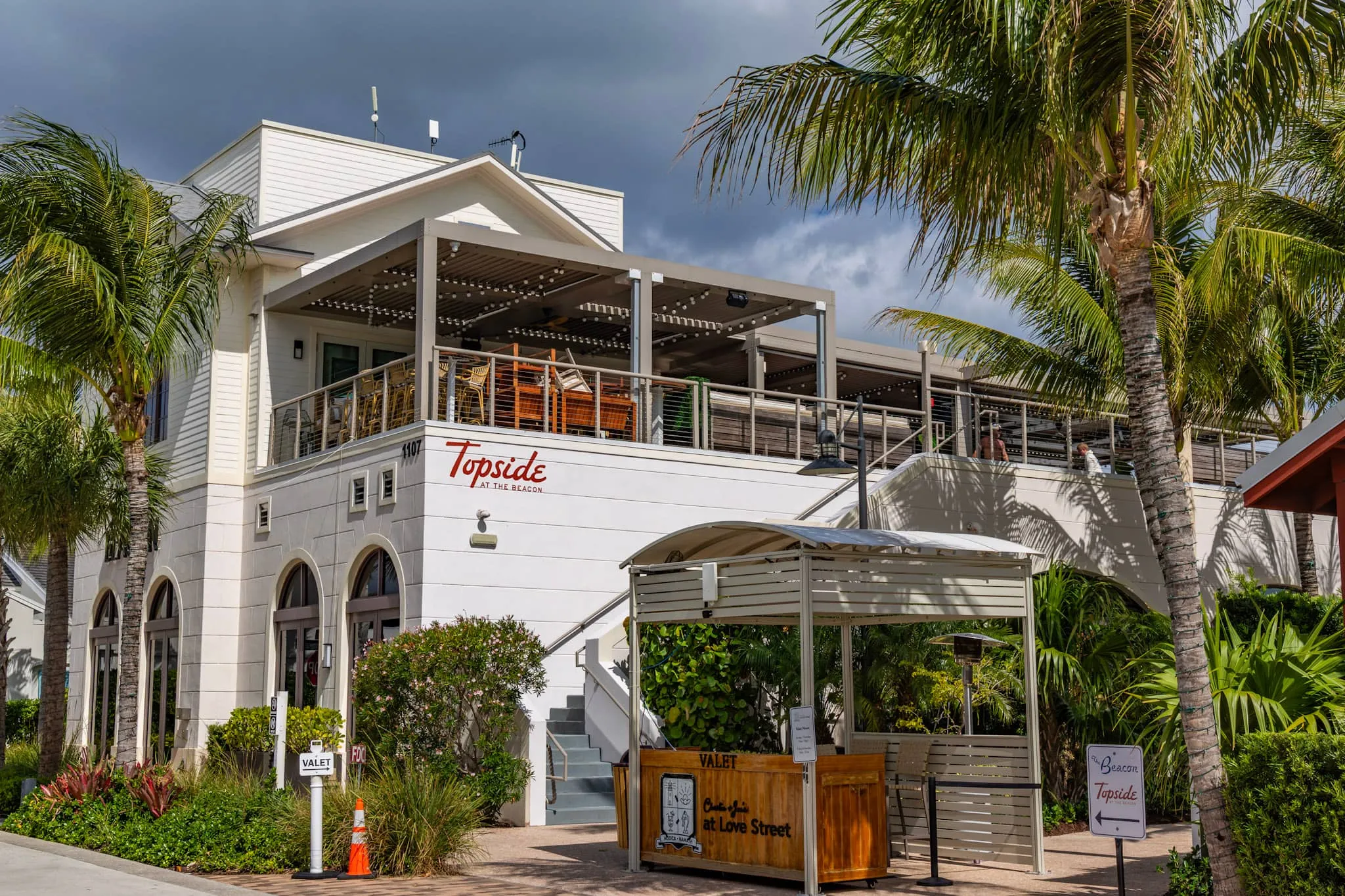
Most people meet your business on Google before they ever see your website. Someone searches “coffee near me” or “boat detailing Jupiter,” scans a row of listings, and decides in a few seconds where to tap. The photos attached to your Google Business Profile do a lot of that deciding for them. A bright, current set of images makes a listing feel open, trustworthy, and worth a call. A blurry parking-lot shot from 2019, or no photos at all, quietly sends people to the competitor right above or below you.
The upside: this is one of the highest-leverage marketing fixes you can make, and it costs you time more than money. Below is a straight explanation of why these photos matter, exactly which ones to add, how to keep them working, and a simple plan you can run without it eating your week.
Why these photos pull more weight than you think
Your Google Business Profile (the panel that shows up in Maps and in the local “map pack” results) is often the single most-viewed piece of marketing you own. It appears at the exact moment someone is deciding whether to act, and photos are the most visual, fastest-read part of it.
A few things happen when your photos are strong:
- Clicks and calls go up. When two listings sit next to each other, the one with real, appealing photos tends to get the tap. People read images faster than text, and a good photo answers “is this place legit, and is it for me?” before they read a single review.
- Trust forms quickly. Customers can tell the difference between a phone snapshot taken at noon and a thoughtfully lit photo. Quality signals care. If your storefront, products, or finished work look polished in the listing, people assume the actual experience will match.
- Expectations get set correctly. Photos of your entrance, parking, and interior help someone feel confident walking in. That cuts down on the confused first-timers and the people who almost came in but couldn’t tell if you were open.
- You feed Google a more complete profile. An active, complete profile tends to look more legitimate to Google’s local ranking system than a thin, stale one. Photos alone won’t outrank a well-optimized competitor, but a neglected profile is a self-inflicted disadvantage.
There’s also the matter of control. If you don’t add photos, customers and Google will fill the gap with theirs. Customer photos are valuable, but they’re unpredictable: a dim plate of food, a crowded waiting room, an unflattering angle. Adding your own strong images means the first thing people see is the version of your business you actually want them to see.
The photo types that do the most work
You don’t need hundreds of images. You need the right categories, each doing a specific job. Here’s what to prioritize and what each one is for.
Exterior and storefront
These help people physically find and recognize you. Shoot the front of the building, your signage, and the entrance. If you’re in a plaza or a shared building (common around Abacoa, Tequesta, and the PGA corridor), include a wider shot showing the parking and the path to your door. Capture it in daylight and, ideally, again at dusk for that warm, inviting look. First-timers lean on these more than you’d guess.
Interior
Show the space the way a customer experiences it walking in: the reception area, the dining room, treatment rooms, the showroom floor. Interiors answer the comfort questions. Is it clean? Is it busy or calm? Is it nice? Wide, well-lit shots beat tight close-ups here.
Products, work, or services
This is where you make the sale. A restaurant needs appetizing food photos. A contractor or builder needs before/after and finished-project shots. A boutique needs clean product images. A med spa needs a calm, professional treatment environment. Show the thing people are paying for, at its best.
Team and people at work
Photos with real people in them tend to feel warmer than empty rooms. A few shots of your team, or of staff actually doing the work, humanize the business and help a nervous first-time customer feel like they already know who they’ll meet.
Aerials for the right businesses
For waterfront, resort-style, large-property, or destination businesses, an aerial or elevated exterior can be genuinely useful. It shows scale, location near the Intracoastal or the ocean, and the full property in one frame. That’s a real differentiator for marinas, event venues, large retail, and hospitality. (Aerials over a populated area should be flown by a licensed pilot; more on that below.)
A practical target for most small businesses: roughly 8 to 15 strong photos covering exterior, interior, product/work, and team, then a steady trickle of new ones over time. Quality and relevance beat raw quantity every time.
Quality matters more than volume
A handful of clear, well-lit, correctly oriented photos will outperform fifty dark, tilted, or pixelated ones. A few specifics worth getting right:
- Light is everything. Shoot near windows, turn on the lights, and avoid harsh midday shadows for exteriors. In Florida, the first hour after sunrise and the hour before sunset give you that soft, flattering coastal light.
- Shoot horizontal and vertical. Google displays photos in different shapes across Maps, search, and mobile. Having both orientations means your best images aren’t awkwardly cropped.
- Hold the camera steady and level. Crooked horizons and motion blur read as careless. A cheap tripod, or just bracing against a wall, helps a lot.
- Keep it real. Don’t over-filter, and don’t pass off stock photos as your own. People sniff that out, and it erodes the trust you’re trying to build. Light, honest editing is fine; fantasy is not.
- Respect Google’s basics. Use actual photos of your business (not logos or graphics in the photo slots), keep them in focus, and avoid heavy text overlays or promotional banners on the images.
If photography isn’t your thing, this is exactly the kind of project worth handing off. A short, planned shoot can produce a full library of exterior, interior, product, and team images in a couple of hours, and you’ll reuse those photos on your website and social channels too, not just on Google. If you want a hand building that library, that’s part of what we do with local business marketing and our broader studio services.
Freshness is an underrated trust signal
Photos aren’t a one-and-done task. Profiles that get new images periodically tend to look more active and cared-for, both to customers and to Google. Stale photos can also actively mislead: if you remodeled, rebranded, changed your menu, or moved your entrance, old images create confusion and disappointment.
A reasonable cadence for most businesses is to add a few new photos every month or two. Tie it to things that already happen: a seasonal menu, a finished project, a new product line, a holiday setup, a busy weekend. You don’t need a production; you need a habit. While you’re in there, check for customer photos that are misleading or genuinely unflattering, report or flag them, and add your own better version to push the gallery forward.
Geo-tagging and the myths worth ignoring
This is where a lot of bad advice circulates. You’ll see services and blog posts claiming you must “geo-tag” your photos with GPS coordinates and keyword-stuffed file names to rank locally. Be skeptical.
- Google strips most metadata on upload. When you add a photo to your Business Profile, the EXIF data (including any GPS coordinates) is generally removed during processing for privacy. Manually embedding coordinates before uploading is, in practice, a waste of time as a ranking trick, and Google has said it doesn’t use that data to rank.
- Keyword-stuffed file names won’t save a thin profile. Naming a file “best-coffee-jupiter-fl-near-me.jpg” is not a meaningful ranking lever. A sensible, descriptive file name won’t hurt, but don’t believe anyone selling it as a secret weapon.
- What actually drives local ranking is the durable stuff: relevance (accurate categories and services), distance (how close you are to the searcher), and prominence (reviews, an accurate and complete profile, consistent name/address/phone across the web, and a real website). Good photos support prominence and conversion. They’re part of a complete profile, not a hidden hack.
Spend your energy on real photos of your real business and an accurate, complete listing. That beats every metadata gimmick.
A note on aerials and drone shots
If an aerial would genuinely help your listing, fly it legally. Commercial drone work in the U.S. requires an FAA Part 107 certified pilot, and much of Jupiter and Palm Beach County sits in controlled airspace that requires authorization to fly. That’s not a reason to skip aerials; it’s a reason to use a licensed operator who handles the airspace side correctly. If you want to know where the lines are, our guide to Florida drone laws for businesses breaks it down.
A simple photo plan you can run
Keep it light enough that you’ll actually do it:
- Audit what’s there. Open your profile as a customer would. Are the current photos accurate, clear, and current? Note what’s missing or embarrassing.
- Cover the four core categories. Get strong shots of your exterior, interior, products/work, and team. Aim for 8 to 15 to start.
- Shoot in good light, in both orientations. Daylight, lights on, steady camera. Add a dusk exterior if you can.
- Upload your own before customers fill the gap. Set the version of your business you want people to see first.
- Schedule freshness. Put a recurring 15-minute reminder every month or two to add a few new photos tied to whatever’s actually happening.
- Skip the gimmicks. No geo-tag tricks, no stock photos, no keyword-stuffed filenames. Real photos, complete profile.
Your Google Business Profile is doing sales work for you every day, whether you’ve tended to it or not. Giving it a clear, current, genuinely appealing set of photos is one of the cheapest ways to win more of the clicks and calls already happening near you. If you’d rather have a professional library shot once and done, reach out and we’ll plan a shoot that covers your listing, your website, and your social channels in one go.